Opening
Evaluating IDEs for the AI Agent Era
A concise route through fundamentals, harness design, and evaluation.
- What still defines an elite IDE
- How AI extends the IDE into a harness engine
- The four evaluation groups
- How to self-benchmark under pressure
- What matters at the end of the day
The Classic IDE
An Elite IDE Still Wins on Fundamentals
Any AI-native IDE that misses the basics is already disqualified.
| Capability | Why it matters |
|---|---|
| Speed | Response time must not break cognitive flow. |
| Navigation | Search, symbol jump, and file movement must stay effortless. |
| Execution | Tasks, launch configs, and direct runs must be first-class. |
| Debugger | Breakpoints, watches, and step-through fidelity must be reliable. |
Architecture Shift
The IDE Becomes a Harness Engine
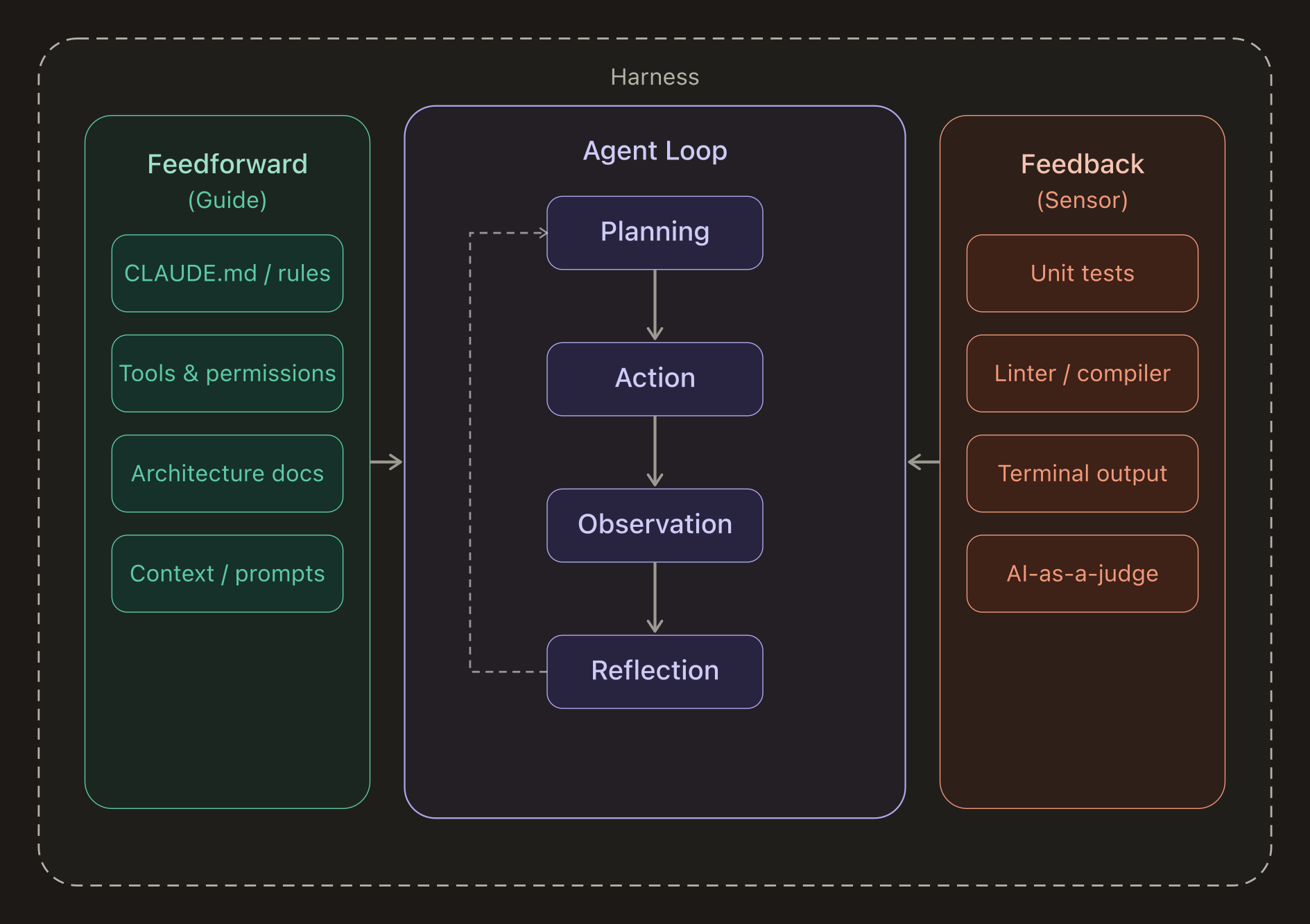
The model reasons, but the harness controls context, tools, state, and memory.
| Layer | Role |
|---|---|
| IDE / Harness Engine | Shapes prompts, manages tools, memory, session state, and safety boundaries. |
| Agent | Runs the decision loop: read, ask, edit, execute, verify. |
| LLM | Provides reasoning and generation over the supplied context. |
Evaluation Lens
The Quality of Harness
Evaluate the system through coherent dimensions.

| Code | Label | Prompt | Target |
|---|---|---|---|
| A | Session & Context | What does it know? | session-context |
| B | Control & Customization | Who is in charge? | control-customization |
| C | Safety & Observability | Can you trust it? | safety-observability |
| D | Extended Capabilities | What else can it do? | extended-capabilities |
Group A
Session & Context
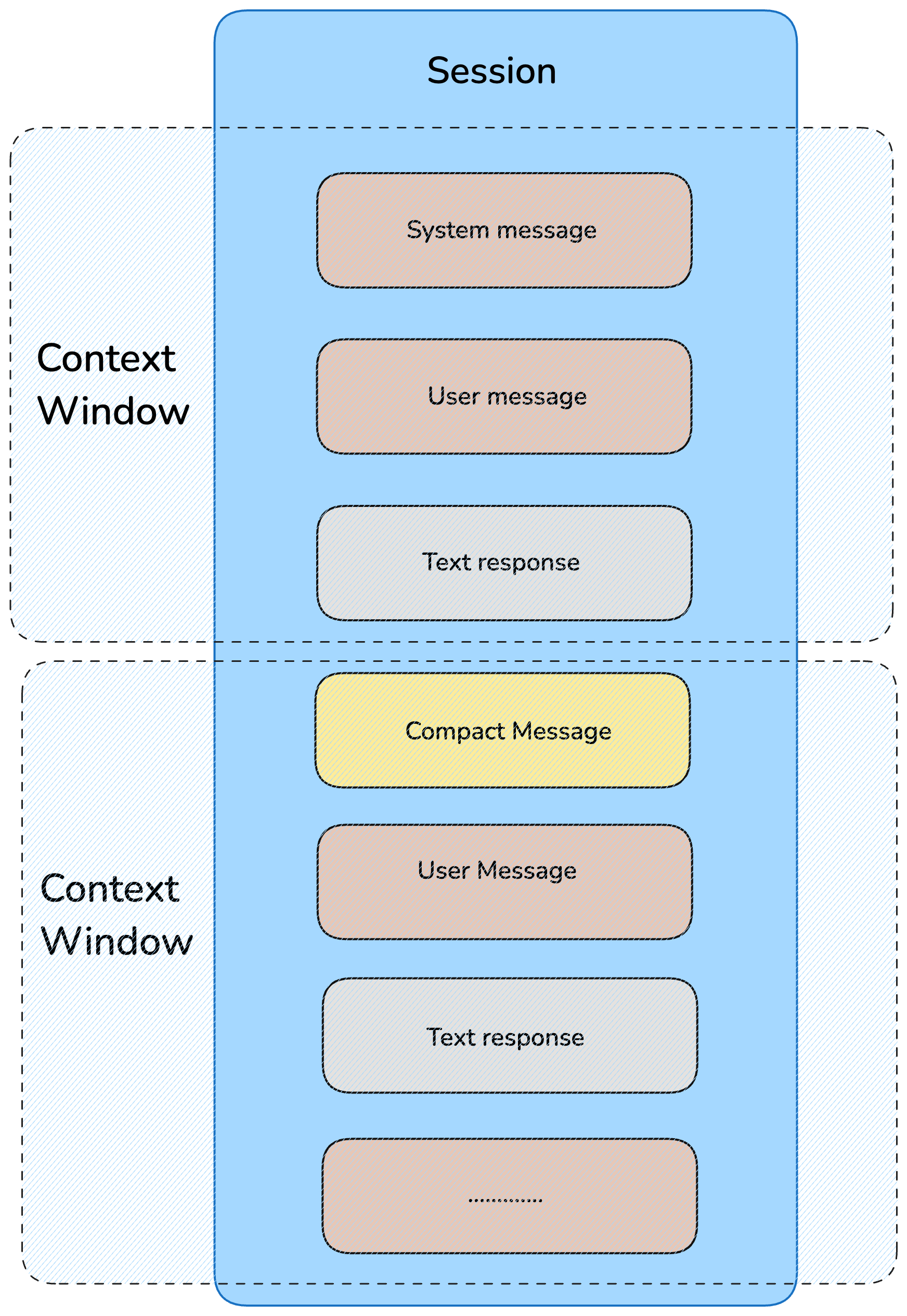
If context quality collapses, the agent hallucinates, repeats mistakes, and loses continuity.
| Capability | Why it matters |
|---|---|
| Live Repo Context | Reads Git state, structure, README, and uncommitted changes. |
| Prompt Caching | Reuses stable prompt layers instead of rebuilding every turn. |
| Context Compaction | Compresses without dropping key decisions when windows fill up. |
| Session Resumption | Recovers working memory across pauses, crashes, and next-day restarts. |
Group B
Control & Customization
Autonomy without runtime control is risk. Customization turns the agent from generic to team-native.

Runtime Sovereignty
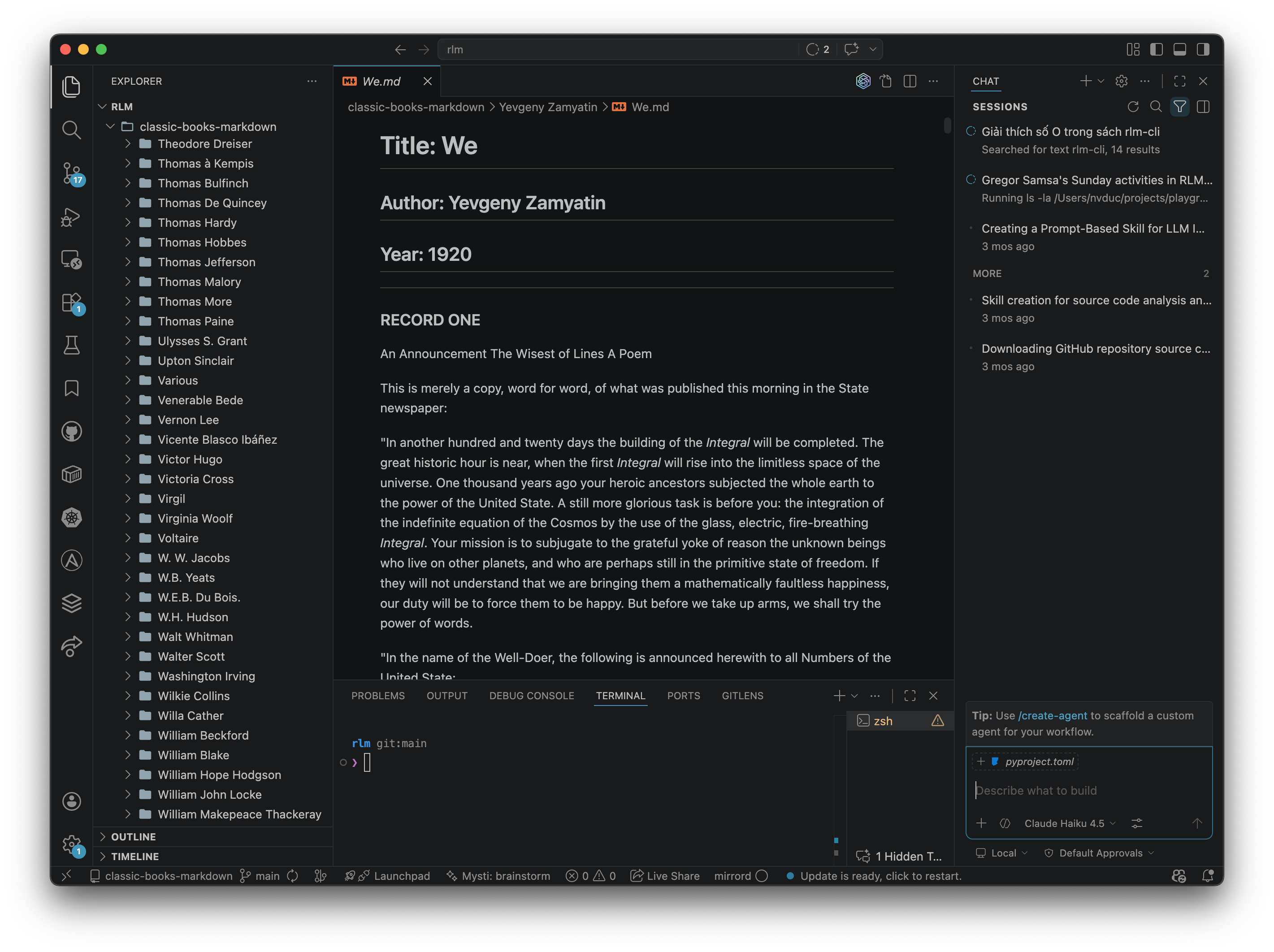
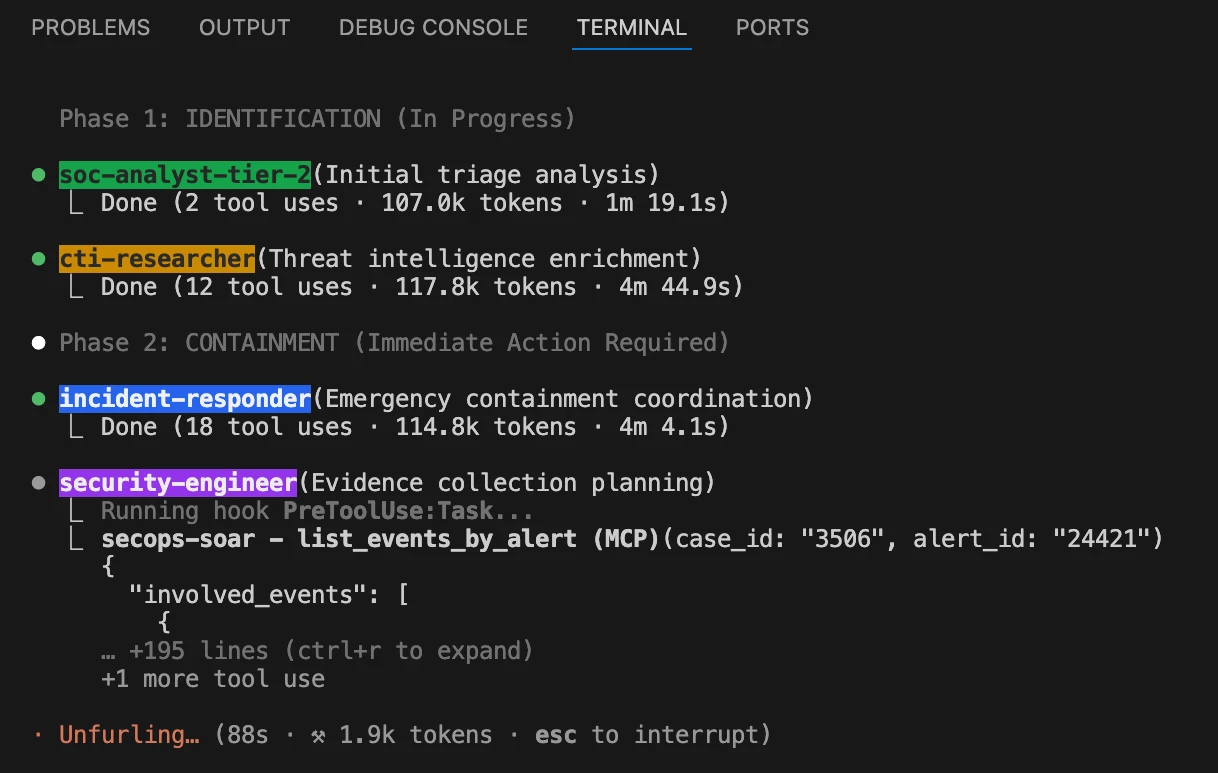
- Pause and steer mid-task.
- Branch / Restore at checkpoints.
- Dispatch work through a task queue.
- Spawn sub-agents.
Teaching the Agent
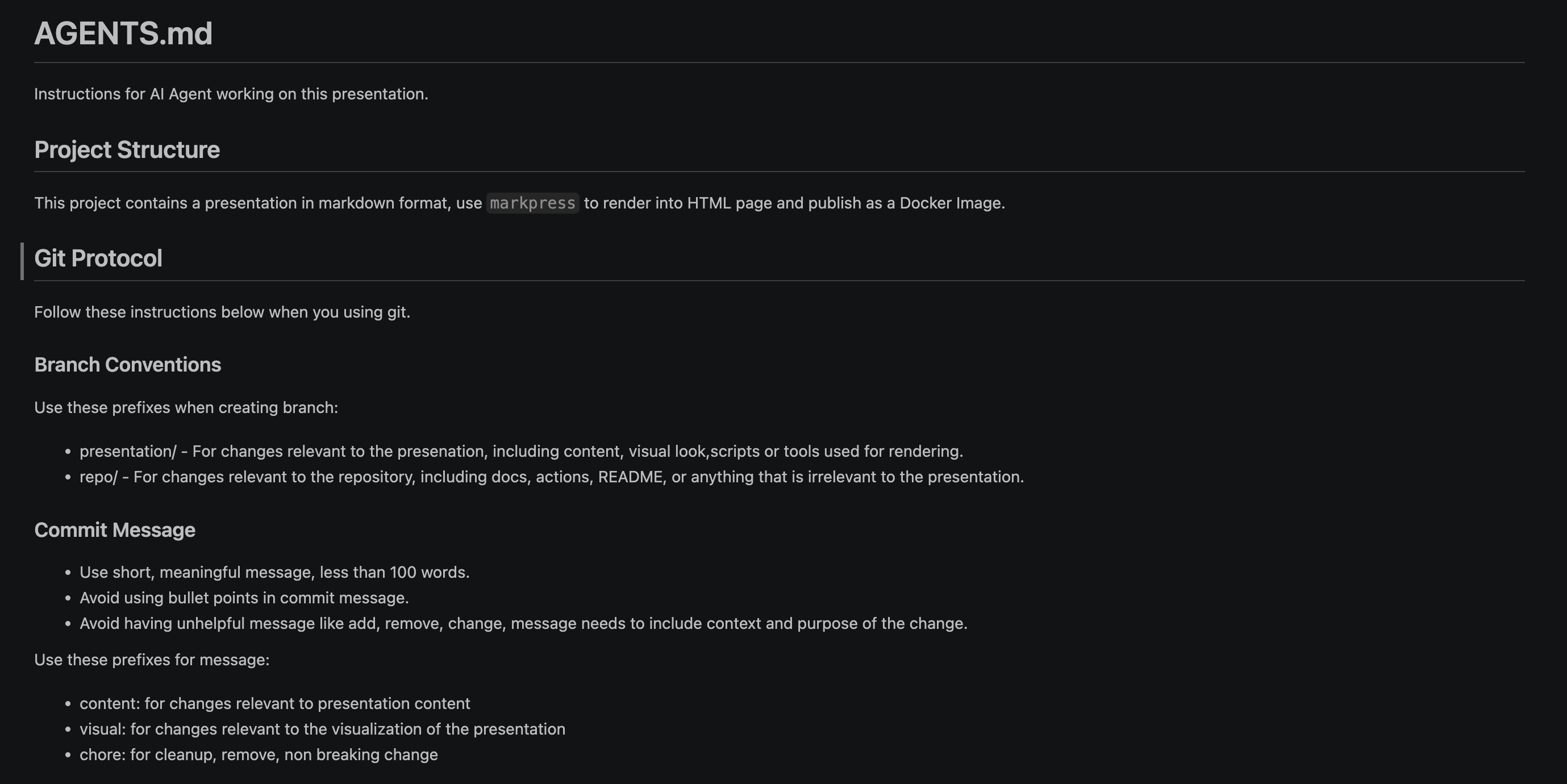
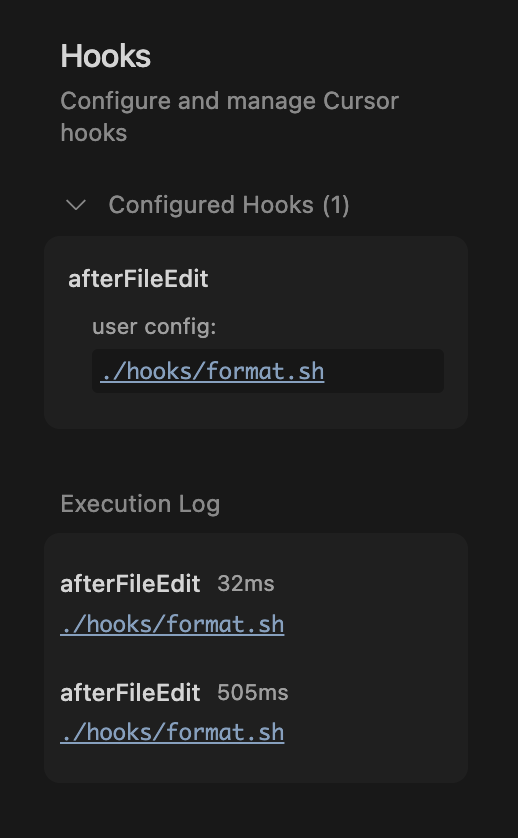
- Encode constraints and conventions.
- Drive consistency across sessions.
- Hook agents into session events.
- Swap models by providers.
Group B · Runtime Sovereignty
Control the Agent

Group B · Teaching the Agent
Teaching the Agent
Group C
Safety & Observability
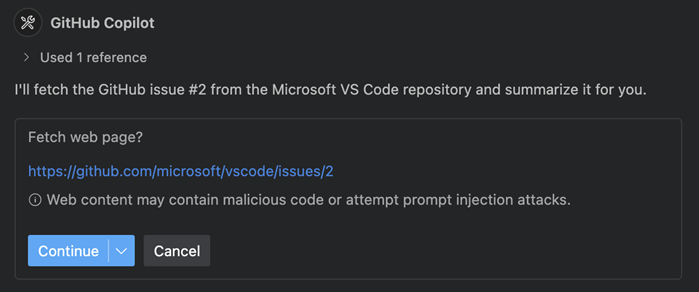
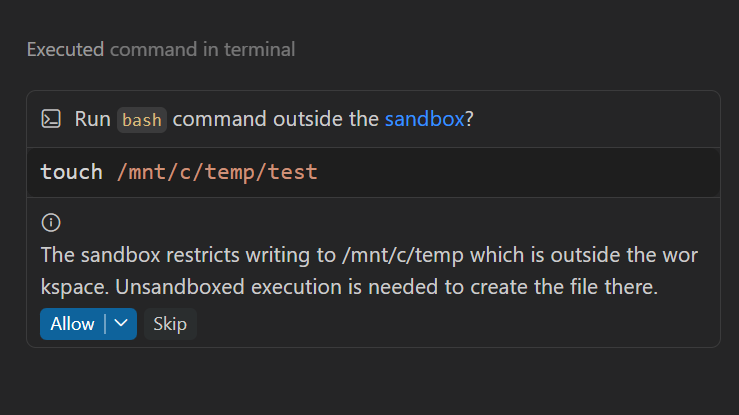
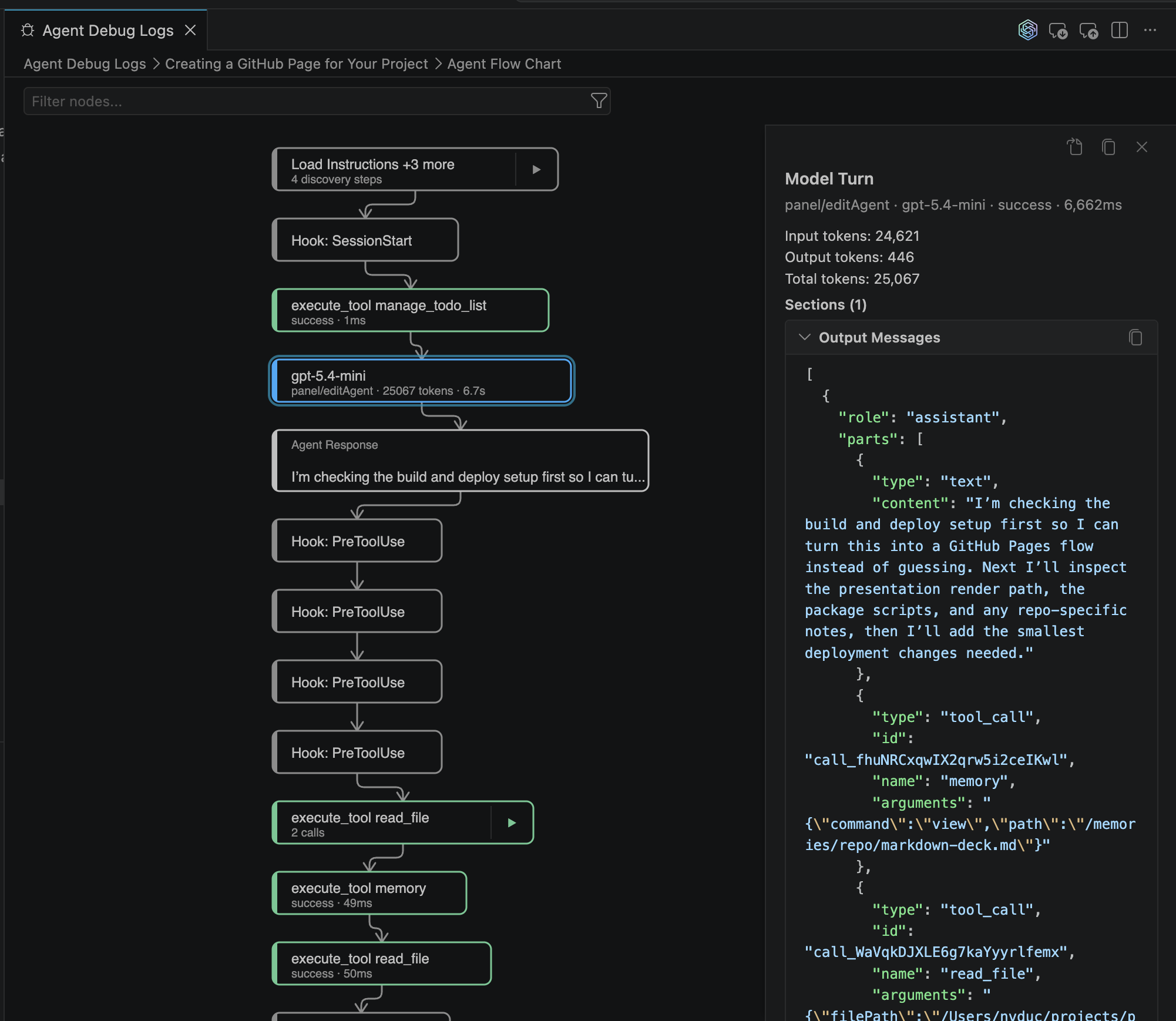
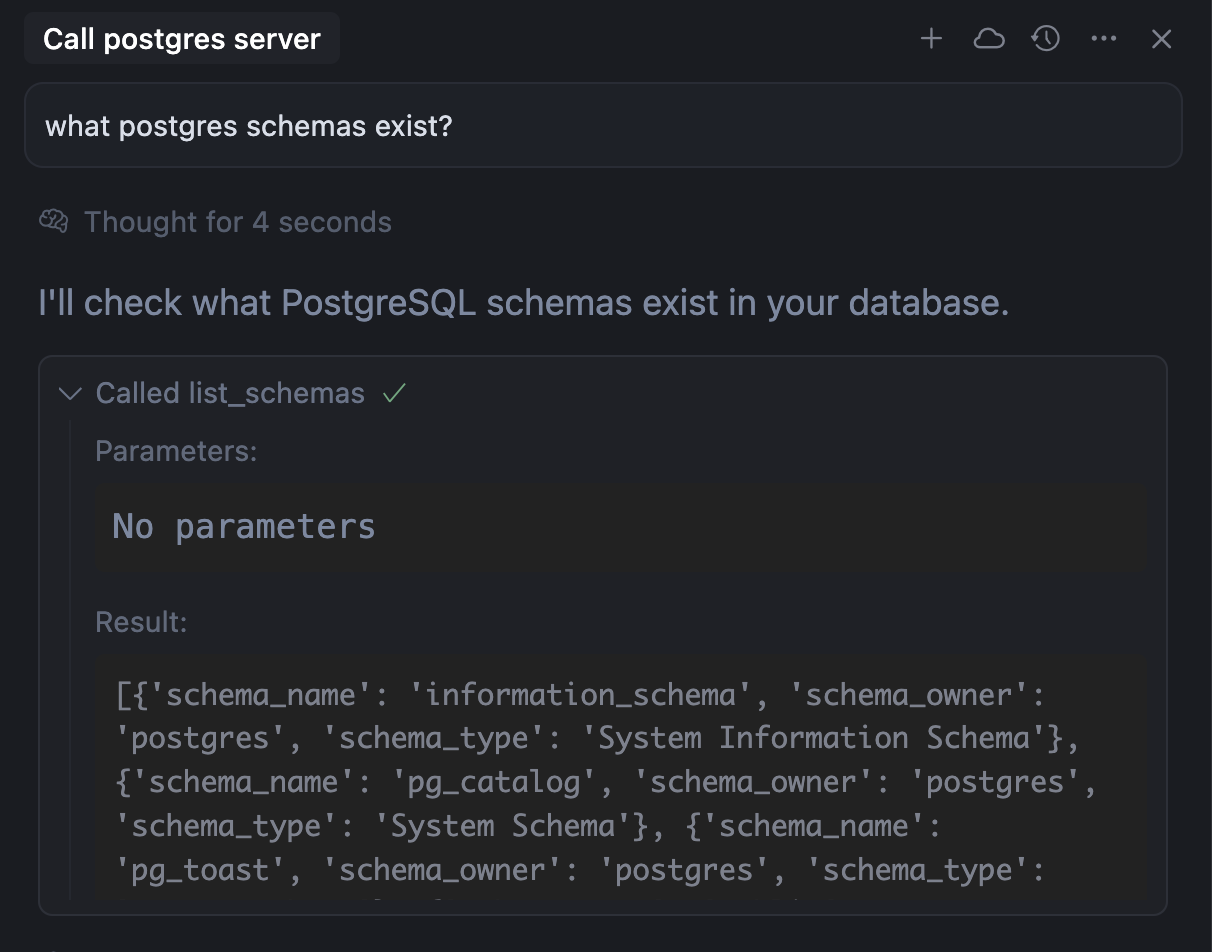
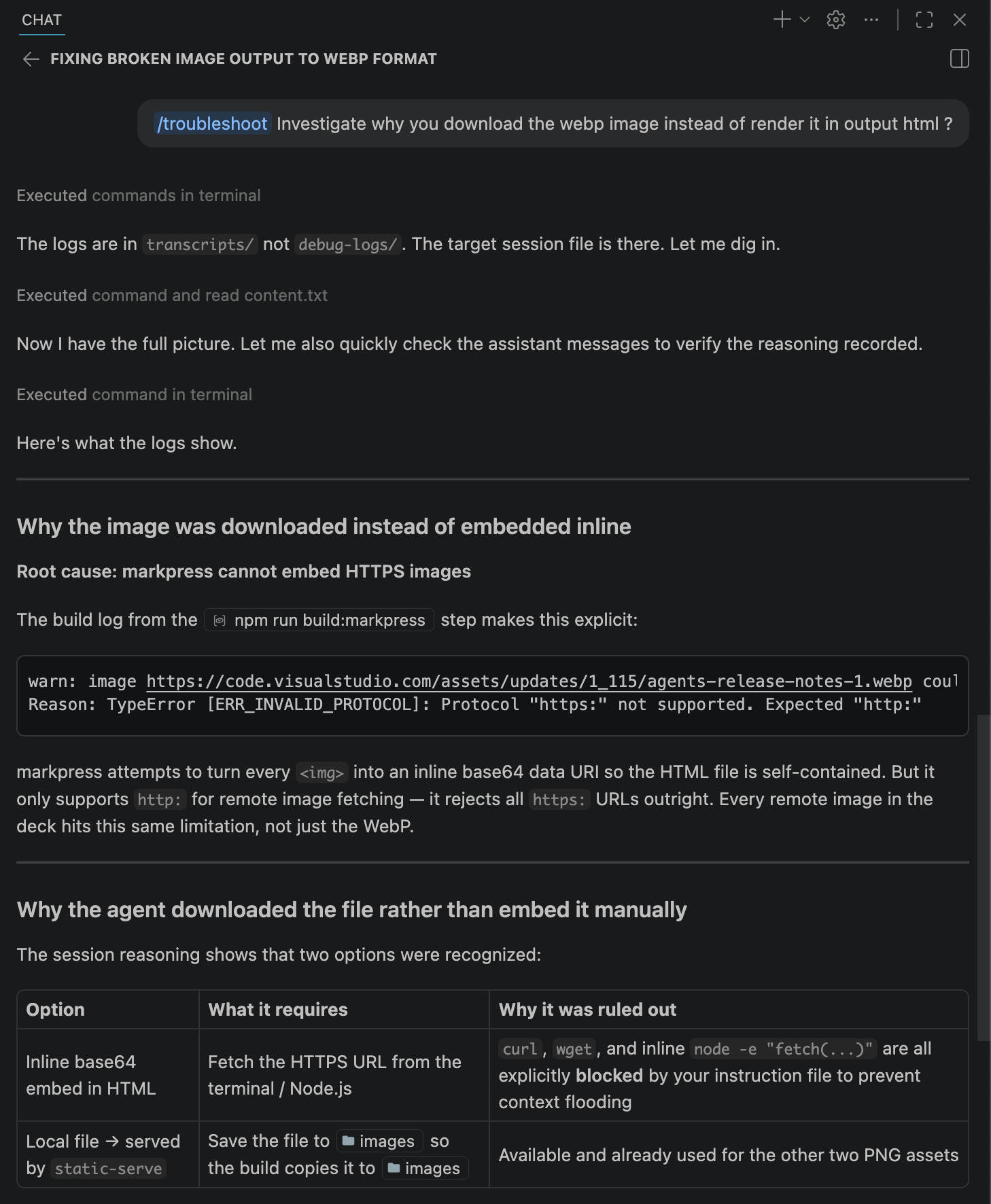
Agents write files, run commands, call APIs, and inspect secrets. Trust requires both enforcement and traces.
| Capability | Why it matters |
|---|---|
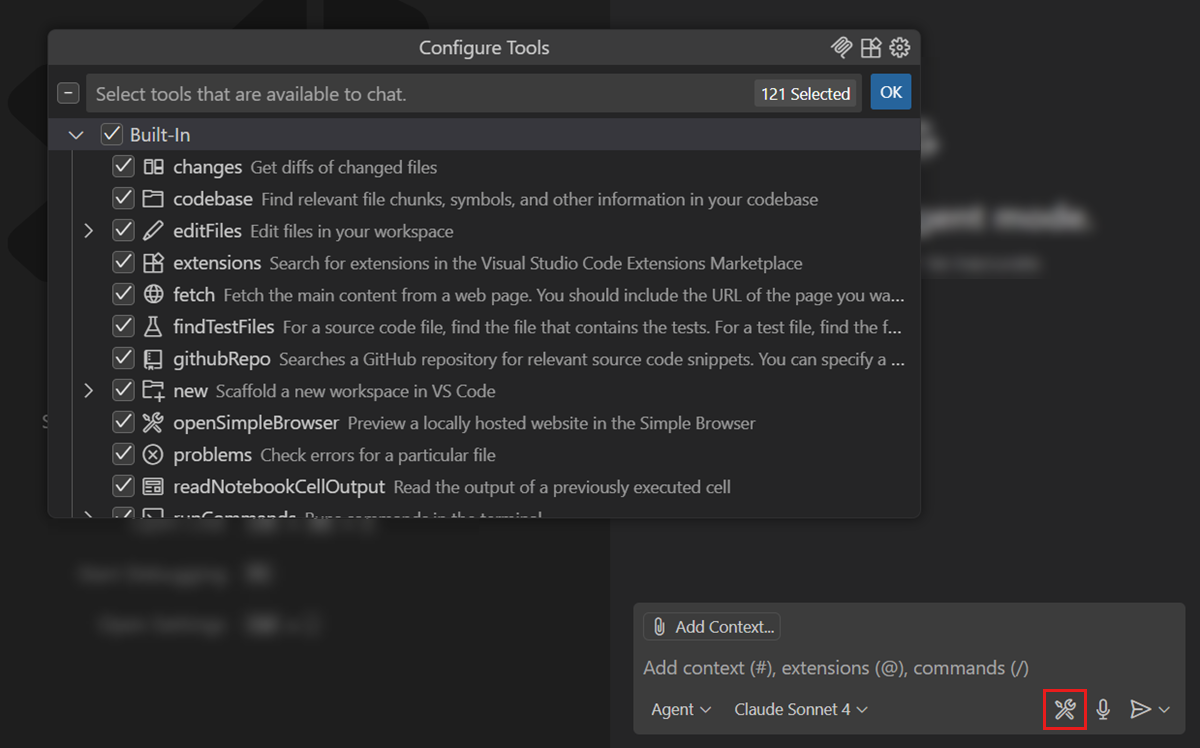
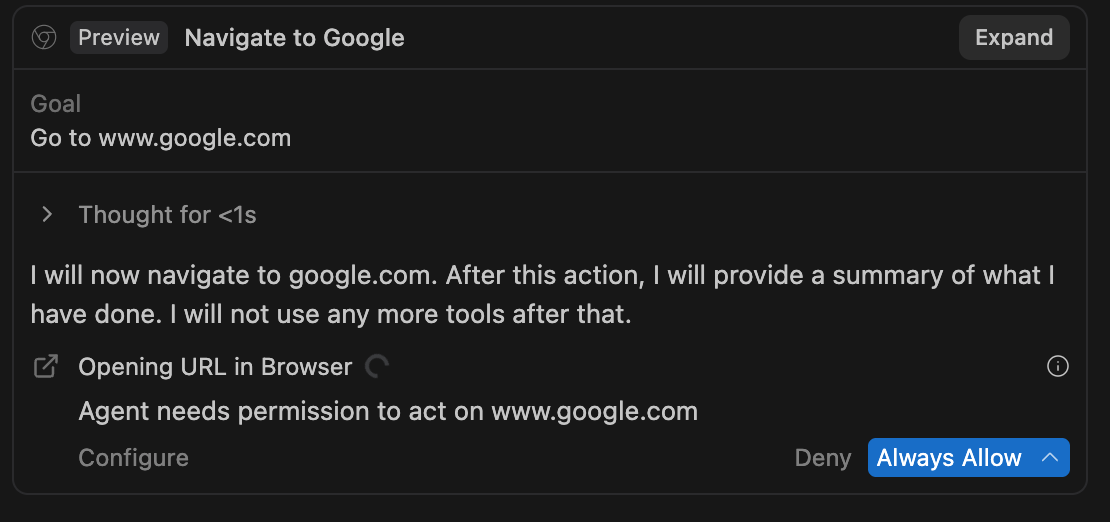
| Tool Controls | Per-tool permissions and approval gates for destructive or networked actions. |
| Trace Navigation | Lets you inspect hidden context and the exact point reasoning diverged. |
| Isolation | Runs in sandboxes, containers, or remote environments when needed. |
| Debug Logs | Captures tool calls, prompts, responses, and chronology for audits. |
| Prompt Injection Protection | Sanitizes hostile content from comments, tools, and external responses. |
| Behavioral Correction | Turns findings into persistent rules without resetting all progress. |
Group C · Safety
Restricting the Agent
Group C · Observability
Observing the Agent
Group D
Extended Capabilities
The strongest harnesses extend beyond the editor into workflow orchestration.
| Capability | Why it matters |
|---|---|
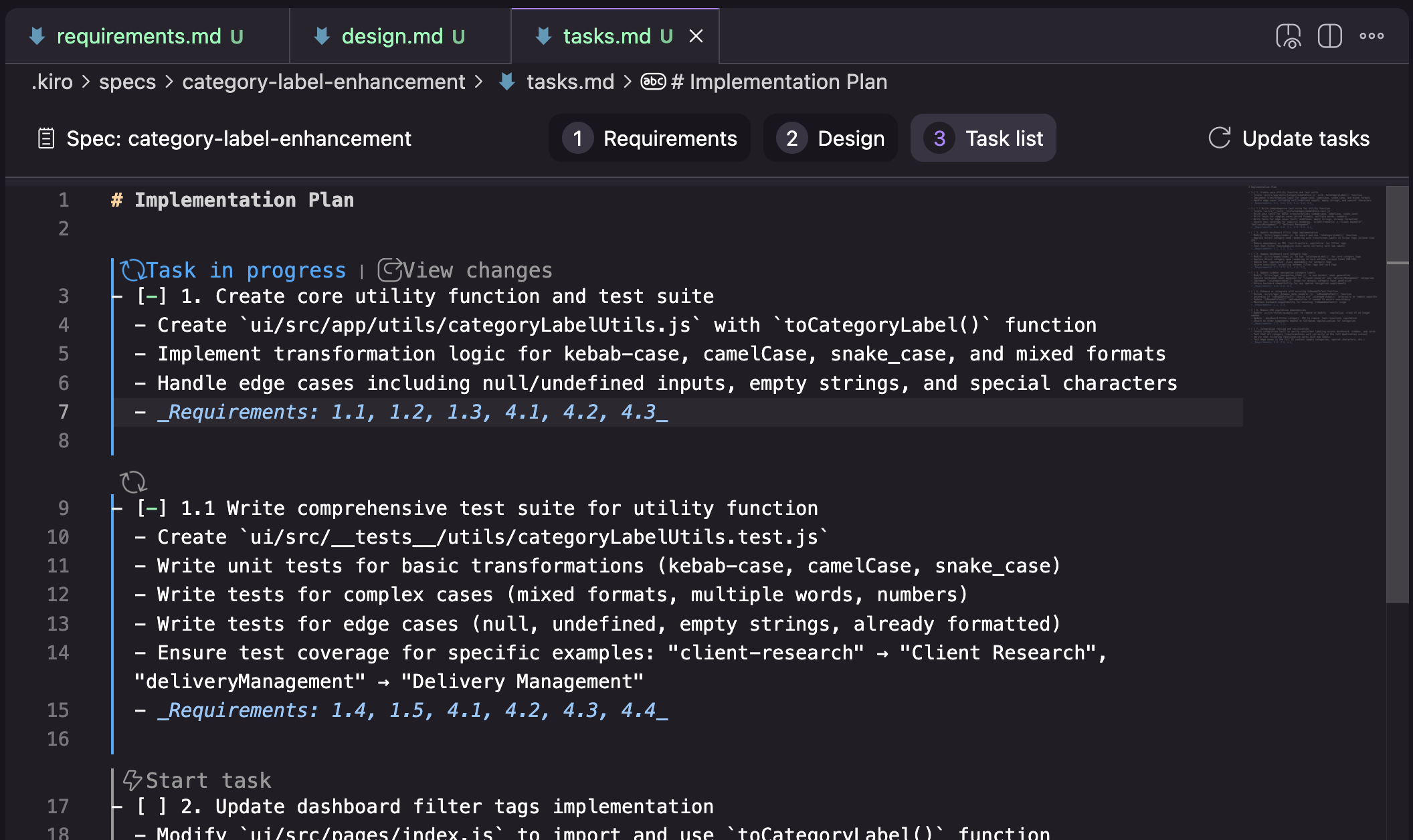
| Spec-Driven Development | Translate intent into requirements, design, tasks, and implementation. |
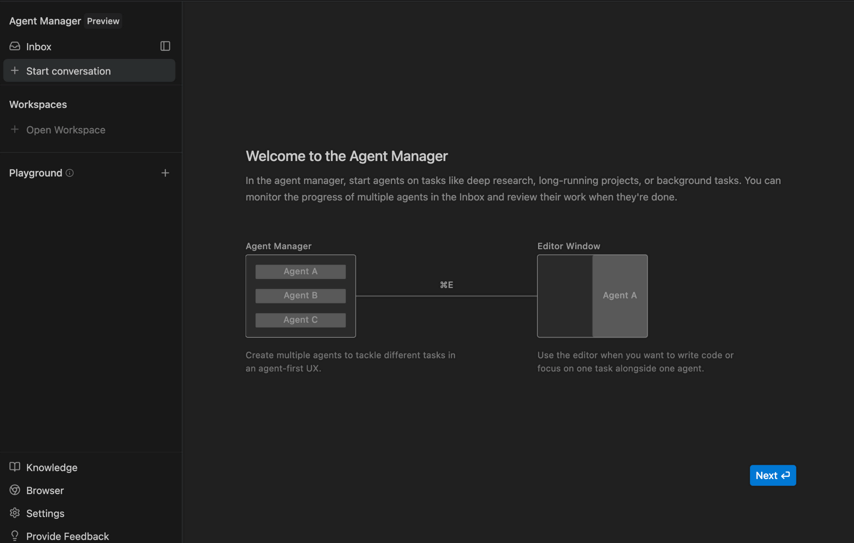
| Agent-First Manager UI | Track multiple parallel workflows from a mission-control view. |
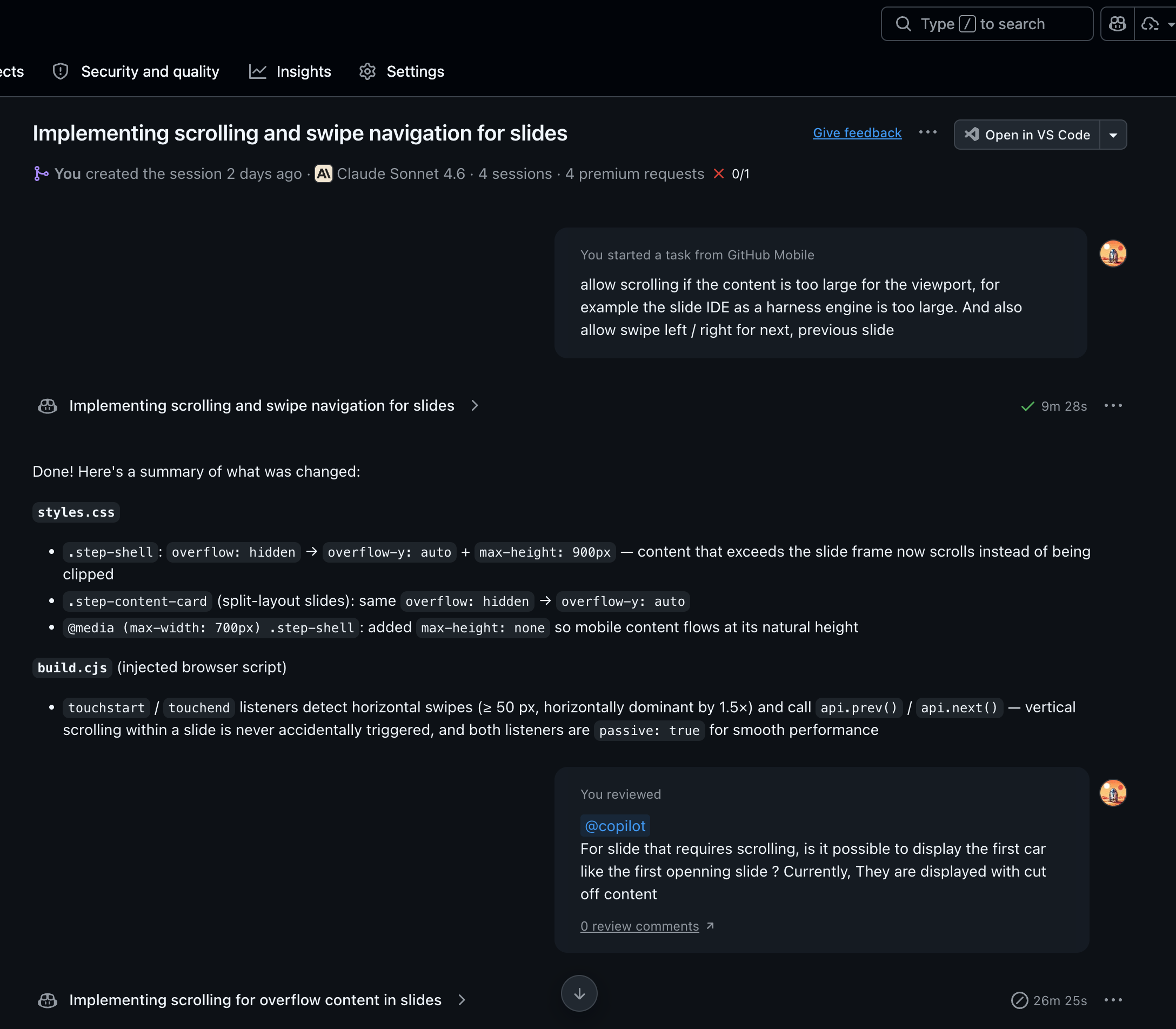
| CLI + Cloud Agents | Invoke from scripts and run work that outlives the local session. |
| Browser / CI / Test Automation | Close loops outside the file editor and pull results back in. |
Group D · Extended Features
Extending the Agent

Evaluation Method
Run a Self-Benchmark
There is no substitute for X honest hours in your own codebase with your own constraints.
The tool is not the problem. Getting work done is the problem.
| Step | Action |
|---|---|
| 01 | Pick a representative multi-file task. |
| 02 | Use the same prompt and a fixed time box in every IDE. |
| 03 | Track context fidelity, correction rate, and control. |
| 04 | Score harness quality, not code generation metrics. |
Closing
Intent to Outcome Is the Metric
Every major IDE can access strong models. Durable advantage now comes from harness quality.
Choose the IDE that gets out of your way fastest while keeping you firmly in control.
- Know your context needs.
- Stay the pilot of the agent loop.
- Never compromise on safety primitives.
- Keep evaluating through real work, not demos.
Thank You
Thanks for Listening
Questions, feedback, or just want to talk shop?
Find me on GitHub: github.com/vanduc2514